New for Firefox

Your new tab,
with intention.

A focused home screen for every new tab — beautiful photo backgrounds, a clean clock, fast search, and only the widgets you actually want.

Free forever · Works on Firefox 109+ · No account required
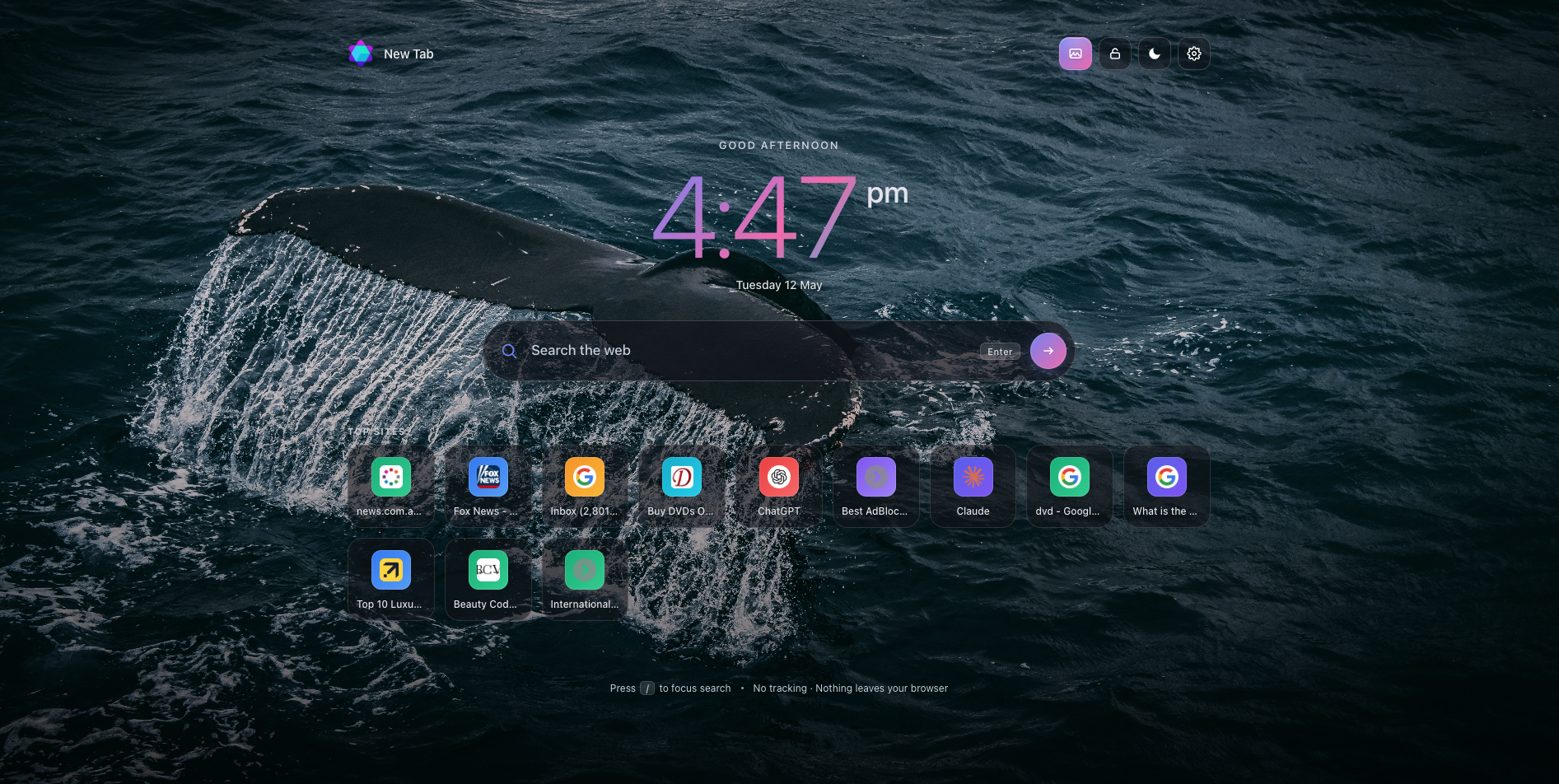
Kick Off new tab page showing a clock, search bar, and shortcuts over a calm photo background

Everything you need.
Nothing you don't.

Built for the way you actually use a new tab.

A clock that grounds you

A clean clock and personal greeting open every tab. Switch between 12-hour and 24-hour anytime.

Search, fast

A focused search bar, instant URL detection, and results powered by Yahoo — no menus, no distraction.

Curated photo backgrounds

Calm imagery that rotates with each tab. Lock a favorite to keep it, or hide them entirely.

Smart shortcuts

Pin the sites you actually use. The rest fill in from your top sites — automatically, privately.

Optional widgets

Toggle on a weather card or a daily mood check-in when you want them. Off by default — you choose.

Light, dark, or system

Crafted in both light and dark. Pick one or let it follow your OS automatically.

Set up in 10 seconds

  1. 1

    Add to Firefox

    One click from the Firefox Add-ons store. No account, no permissions you don't need.

  2. 2

    Open a new tab

    Kick Off takes over the new tab page instantly. Your default browser, untouched.

  3. 3

    Make it yours

    Pin shortcuts, toggle widgets, choose a theme. Everything stays on your device.

Questions, answered

Is Kick Off free?

Yes. Kick Off is free for everyone and always will be. No account, no paywall, no upsell.

Where do my searches go?

Searches you type into the Kick Off search bar are routed through kickoffsearch.com and powered by Yahoo. Your default Firefox search engine is not changed.

What data does Kick Off collect?

Your shortcuts, theme, widget toggles, and other preferences stay on your device. The extension does not send your browsing history anywhere.

Will it slow down my browser?

No. Kick Off only runs on the new tab page itself — there's no background script watching your tabs or eating memory.

Can I uninstall it later?

Of course. Right-click the icon in Firefox's toolbar or use about:addons. Your default new tab returns immediately.

Open a calmer tab.

Add Kick Off to Firefox. Replace it whenever you want. No strings.

Add to Firefox — Free